Fractal Cloud Architecture
As you can see from the simplified diagram below, Fractal Cloud maintains a repository of your Fractals. It allows your Centers of Excellence to define Fractals, which then are made available to the organization teams, that can take them off-the-shelf and use them in all environments.
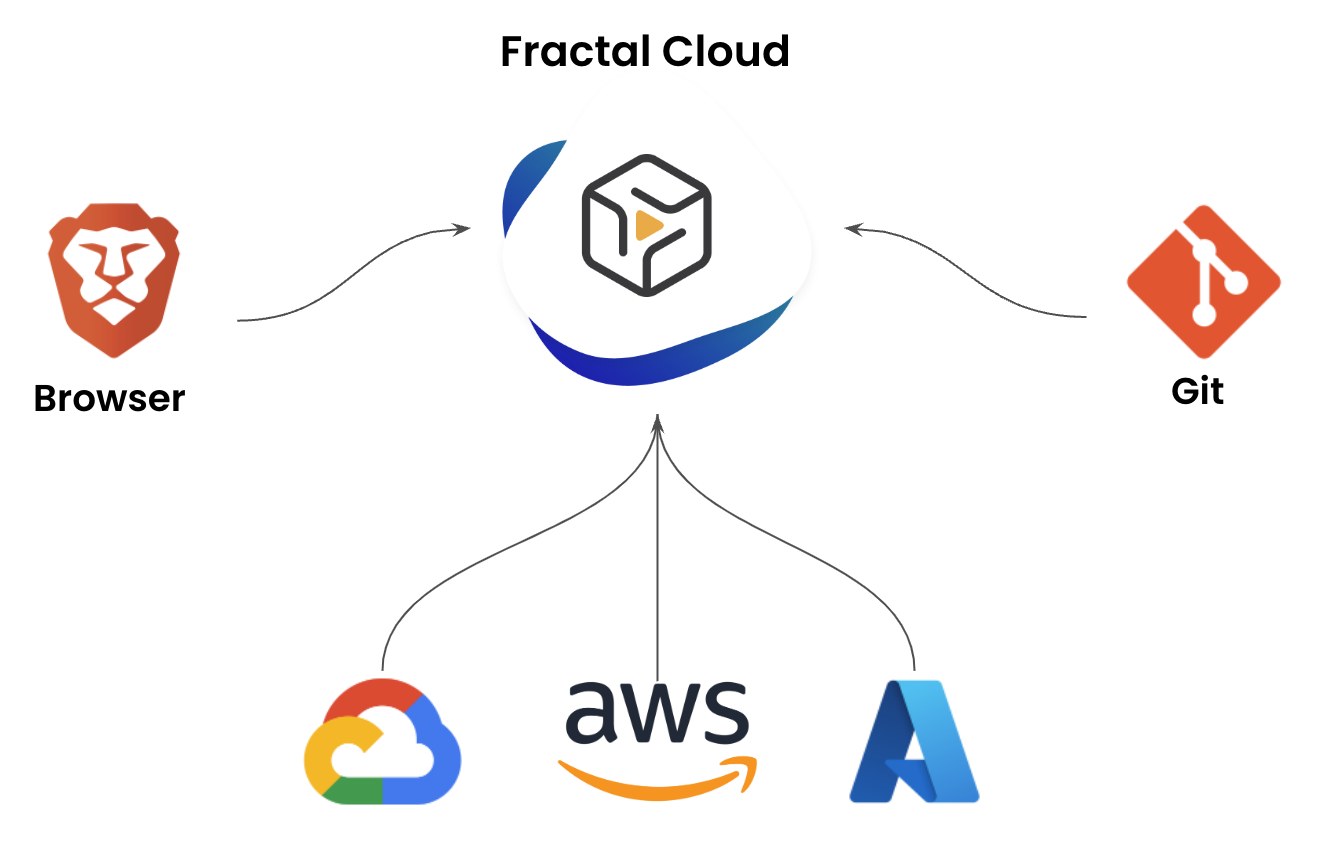
You can work on your Fractals in one or combine multiple of the following options:
- Use the Web application
- Use our Java, TypeScript, or Terraform SDKs and commit on your git repos for Infrastructure as (actual) Code (IaC)
- Use our APIs to integrate Fractal Cloud in other tools your enterprise already uses to enforce specific processes (such as ServiceNow, ZenDesk, etc.)
The Control Plane
At the center of Fractal Cloud sits the Control Plane — a hosted set of services that stores the desired state of every Live System across your organization. The Control Plane is the single source of truth: it holds your Fractal definitions, resolves Components to vendor-specific Offers based on the target environment, manages the Component Catalogue, and coordinates the agents that do the actual provisioning.
The Control Plane never directly touches your infrastructure. It doesn't hold cloud credentials, doesn't make API calls to AWS or Azure or vSphere, and doesn't have network access to your environments. Instead, it stores intent — the desired state of your infrastructure — and delegates execution to agents running inside your environments.
Cloud Agents — How Infrastructure Gets Provisioned
Fractal Cloud does not store any credentials for its users' cloud environments, and no information on the subscription is accessible centrally. Instead, we have opted for a completely declarative approach in which a set of Cloud Agents are deployed and running within each environment: on AWS accounts, Azure Subscriptions, GCP Projects, OCI Tenancies, Hetzner Projects, and on-premises data centers.
The Reconciliation Model
Cloud Agents follow a pull-based, continuous reconciliation model:
-
The agent polls the Control Plane — on a regular interval, the agent asks: "what should my environment look like?" The Control Plane responds with the desired state for all components assigned to that environment.
-
The agent reads actual state — the agent queries the infrastructure APIs in its environment (AWS APIs, Azure Resource Manager, vCenter, Kubernetes API, etc.) to determine what actually exists right now.
-
The agent diffs desired vs actual — if the desired state says "4 vCPUs, 16GB RAM" and the actual VM has "2 vCPUs, 8GB RAM," the agent knows what needs to change.
-
The agent reconciles — the agent makes the necessary API calls to bring actual state in line with desired state. Create what's missing, update what's drifted, remove what shouldn't exist.
-
The agent reports status — the agent tells the Control Plane what it did, what the current state looks like, and any output values (IP addresses, endpoints, connection strings) that other components might need.
This cycle repeats continuously. The agent doesn't just provision infrastructure once and walk away — it continuously ensures that the actual state matches the desired state. If someone manually changes a resource outside of Fractal Cloud, the agent detects the drift on its next cycle and corrects it automatically.
Pull-Based — Why It Matters
The agent initiates all communication. The Control Plane never pushes to the agent, never opens a connection to the agent's network, and never needs inbound access to the customer's environment. The agent calls out to the Control Plane over HTTPS, retrieves the desired state, and works locally.
This design has significant security implications:
- No inbound firewall rules required — the agent runs inside the customer's network and connects outbound, like any other HTTPS client. No VPN, no bastion host, no firewall exceptions.
- No stored credentials — the Control Plane never sees cloud credentials. The agent authenticates to its local infrastructure using credentials stored in the environment itself (IAM roles, service accounts, vault references).
- Secure enrollment — agents authenticate to the Control Plane using mutual TLS (mTLS). During initial enrollment, the agent presents a one-time registration token, receives a signed certificate, and uses that certificate for all subsequent communication. The private key never leaves the agent.
Stateless by Design
Agents don't maintain a local database of what they've created. On every reconciliation cycle, they read the actual state directly from the infrastructure APIs. This means:
- No state to corrupt — if the agent crashes and restarts, it resumes from scratch by reading actual state.
- No state to synchronize — there's no local state file to keep in sync with reality (unlike Terraform state).
- Drift detection is native — because the agent reads actual state every cycle, it detects drift automatically. There's no separate "drift detection" operation — it's built into the reconciliation loop.
Multi-Environment Support
Each agent is scoped to a single environment — one AWS account, one Azure subscription, one vCenter cluster. For organizations with multiple environments, multiple agents run in parallel, each managing its own scope. The Control Plane coordinates across agents, resolving cross-environment dependencies and routing component intents to the correct agent.
This architecture scales naturally: adding a new cloud account or a new on-premises data center means deploying a new agent. The agent enrolls with the Control Plane, reports its capabilities, and starts accepting workloads. No central reconfiguration needed.
Where Agents Run
Agents are lightweight processes that run within the environment they manage:
| Environment | How the Agent Runs |
|---|---|
| AWS | ECS task or EC2 instance within the target account |
| Azure | Container instance or VM within the target subscription |
| GCP | GKE pod or Compute Engine instance within the target project |
| OCI | Container instance within the target tenancy |
| Hetzner | Server within the target project |
| On-Premises (VMware) | VM on the vSphere cluster or container on an adjacent platform |
| On-Premises (OpenShift) | Pod running within the OpenShift cluster |
You can read how to install the Cloud Agent in this how-to: Fractal Cloud Environment Initialization
From Fractal to Live System — The Full Flow
When a team instantiates a Fractal into a Live System targeting a specific environment, here's what happens:
-
The team selects a Fractal and a target environment — through the Web UI, the SDK, or the API. The Fractal defines abstract Components; the environment determines which Offers fulfill them.
-
The Control Plane resolves Components to Offers —
NetworkAndCompute.PaaS.ContainerPlatformbecomesAKSon Azure,EKSon AWS,OpenShifton-premises.Storage.PaaS.PostgreSqlbecomesAzurePostgreSqlon Azure,GCPCloudSqlPostgreSqlon GCP. The resolution is based on the environment's provider and available Offers. -
Agents resolve Links — the connections between components are handled by agents during reconciliation. A workload that links to a database needs the database's connection string; a load balancer that links to a workload needs the workload's IP addresses. Each agent reads the output values published by the components it depends on and wires them into the resources it manages.
-
The agent picks up the intent — on its next poll cycle, the agent in the target environment sees new components to reconcile. It starts provisioning: creating VMs, deploying containers, configuring databases, setting up networking.
-
The agent reports outputs — as each component is provisioned, the agent reports its output values (IP addresses, endpoints, DNS names) back to the Control Plane. These published outputs become available for other agents to consume when resolving their own Link dependencies.
-
The Live System is operational — once all components are reconciled and all Links are resolved, the Live System is running. The agent continues its reconciliation loop, continuously ensuring the actual state matches the desired state.
Deployment Options
You can decide to use Fractal Cloud SaaS offering or have your private installation running on your cloud environment, whether that is private, hybrid, or public.